I Gave Claude Code SSH Access to My Homelab and Asked It What's Wrong
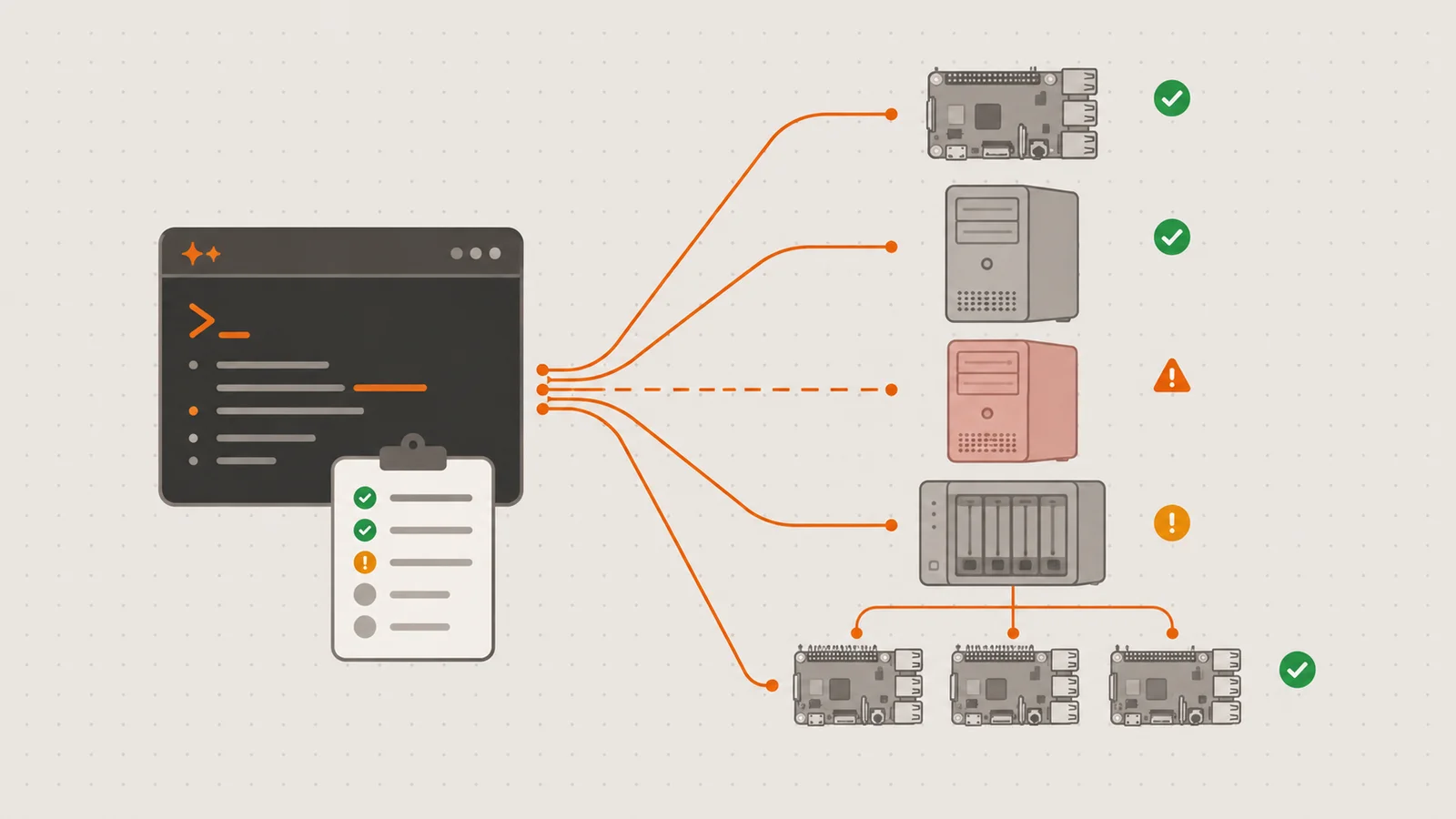
My homelab is ten years of accretion. The hypervisor is a dual-Xeon from 2009 with 141 GB of RAM, and it runs every VM I have. There’s an Unraid NAS, a GPU machine, and three Raspberry Pis with Greek mythology names. The compose files haven’t matched what’s actually running for years. Every machine got set up for a good reason at some point, by a version of me who fully intended to write it down later.
If you run a homelab you probably know this state. Everything works. The smart home responds, the photos back up, the dashboards load. Underneath, things rot quietly: OSes go EOL, VMs stop and never start again, config drifts away from whatever notes exist. I’ve known for a while that I should sit down and actually go through it all, machine by machine. I never do, because on any given evening the lab works and the couch is right there.
So I made it someone else’s job. I gave Claude Code SSH access to every machine and asked it to inventory the lab, then tell me what’s broken, what’s risky, and what order to fix things in. It came back with fourteen problems. Thirteen of them I at least half-knew about. The fourteenth I had no idea about, and it turned out to be the most urgent thing on the list.
The setup
One thing worth stating before anything else: none of this is reachable from the internet. The whole lab sits on the LAN with no ports forwarded and no public exposure, and everything in this post (the agent included) happened from a workstation inside that network. The risks I’m about to list are about rot and self-inflicted failure, not about attackers.
There was no clever engineering here. My workstation already had SSH keys for every machine. I opened Claude Code in an empty homelab repo and wrote a prompt that boiled down to:
Here are the machines on my network and how to reach them. SSH into each one and build a complete inventory: hardware, OS and support status, disk usage, what’s running (VMs, containers, systemd services), and how the machines depend on each other. Then give me a ranked list of risks. Write it all into HOMELAB.md.
Two decisions turned out to matter.
First, the output is a file, not a conversation. Everything went into a HOMELAB.md committed to the repo. Chat transcripts evaporate. A checked-in inventory is what every later session reads first and updates as work happens. Mine now has strikethroughs with dates on the issues that got fixed, so it doubles as a changelog of the lab’s health without me maintaining anything.
Second, the agent proposes and I approve. Read-only commands (df, docker ps, qm list, reading configs) ran freely. Anything that changed state needed my confirmation. An audit means running hundreds of commands across ten machines, so approving every cat would kill the whole idea, but I also didn’t want an agent restarting a Docker daemon on the box that runs my door locks. Read widely, write with confirmation.
Then it went machine to machine. It didn’t just list containers either. It noticed a container stuck in a restart loop, a VM with 16 GB of RAM allocated that was using less than 400 MB, a backup mount with a known habit of going stale. These are observations I’d make too, on a good day, if I looked. I don’t look.
What it found
The full list ran to fourteen items. These are the ones worth telling.
The graveyard
Four VMs on the hypervisor were stopped and had been for a long time. Two I still need occasionally. Two were dead projects I’d forgotten existed. Together they held about 500 GB of disk allocations. A fifth VM had 16 GB of RAM reserved and was running a single MQTT broker using under 400 MB of it. None of this is dangerous, it’s just sediment. But sediment is invisible until something makes you look, and an inventory is the thing that makes you look.
The crash-loop that was actually a CPU from 2009
A MongoDB container on my core services VM had been crash-looping for as long as I could remember. I’d filed it under “some config thing, someday.” The agent chased it down in a few minutes: the container exits with code 132, illegal instruction. The VM’s virtual CPU is Proxmox’s conservative “Common KVM” type, which doesn’t expose AVX, and MongoDB 5 and up require AVX. Setting the CPU type to host wouldn’t help either, because the physical CPU is a 2009 Nehalem Xeon and Nehalem predates AVX entirely.
Exit code, to instruction set, to hypervisor CPU model, to physical silicon, to a line in Mongo’s release notes. I would have gotten there eventually, after an evening of forum archaeology I was clearly never going to spend. Instead I got a concrete decision: pin mongo:4.4, or drop the container, and either way the problem dissolves once the VMs move to modern hardware anyway.
The risk register
The systematic sweep surfaced the category of problem that has no symptoms until it suddenly does:
- EOL everything. Proxmox 7 on the hypervisor: EOL. Ubuntu 20.04 on three VMs: EOL. Raspbian 10 buster on two of the Pis: EOL since mid-2024, and 32-bit.
- A single point of DNS failure. One Raspberry Pi runs Pi-hole, and it’s the only DNS server on the network. If that SD card dies, name resolution dies with it for every device in the house.
- Watchtower vs. the smart home. The Pi at the center of the house runs zigbee2mqtt and zwavejs2mqtt, the two containers the entire smart home depends on, and Watchtower auto-updates both. Both projects ship breaking releases now and then. So the standing failure mode is a 3am image pull that takes down the lights, locks and sensors while I sleep.
- Secrets in the compose file. An API key and an admin token were sitting in plaintext in the compose file, committed years ago. They’ve since been rotated and moved to an env file that stays out of git. The lesson stands though: a repo nobody else reads drifts toward becoming a secrets dump.
I half-knew most of these, the way you half-know a dentist appointment is overdue. The difference now is they’re on a written list with severities, and half-knowing is no longer available to me.
The one I didn’t know about
Years ago I set up a VM called mimir as a central log collection host, and configured the Docker hosts around the lab to ship their container logs to it. Then I never used it. Not once. The logs kept arriving anyway, filled the VM’s 97 GB disk, and killed its Docker daemon. Mimir had been dead for months. Wasted RAM and disk, sure, but harmless.
Except the agent cross-referenced mimir’s role against the other machines’ configs and found that my core services VM, the one running the reverse proxy, auth, password manager and databases, had the Loki logging driver set globally in /etc/docker/daemon.json, pointed straight at it:
{
  "log-driver": "loki",
  "log-opts": {
    "loki-url": "http://192.168.86.24:3100/loki/api/v1/push"
  }
}
The Loki Docker driver doesn’t just shrug when its endpoint is down. It buffers, and depending on version and configuration a full buffer can block the container’s stdout. So a logging server I never once used, dead for months, was in a position to freeze the most important containers I run whenever they next got chatty enough. The monitoring stack that never monitored anything had become the biggest threat in the lab.
This is the finding I would not have made on my own, because it doesn’t live on any single machine. It lives in the join: a dead endpoint on one box, a client config pointed at it on another. I audit machines one at a time and keep the dependency graph in my head, badly. An agent that has just read every config on every host has the whole graph in front of it.
The fix went to the top of the plan: remove the log driver, restart Docker, recreate the containers (running containers keep their old log driver until recreated, a detail the agent flagged and exactly the detail I would have missed), and only then power mimir off for good.
From findings to plan
A ranked list is useful. What I asked for next was a plan, and the prioritization it produced was honestly better than what I’d have done. My instinct, staring at a 17-year-old hypervisor, was that hardware was the emergency. The plan put hardware last.
Phase 0 was “stop the bleeding, spend nothing”: kill the Loki driver, shut mimir down, back up and delete the dead VMs, rotate the secrets, settle the MongoDB question. Every item free, every item doable the same day, and together they covered the scariest entries on the list. The later phases migrate services off the GPU box I’m decommissioning, replace the hypervisor with a Ryzen 5950X workstation I already own (the whole VM fleet fits comfortably in its 64 GB, at maybe a quarter of the Xeon’s power draw), refresh the EOL operating systems, pin the smart home container versions instead of trusting Watchtower, and add a second Pi-hole so DNS stops being one SD card.
By the end of the first day mimir was off, the log driver was gone, an unused node-red was retired, and a stray k3s agent from some forgotten experiment was uninstalled from the smart home Pi. The audit had also pointed out that I had no monitoring at all, so Beszel agents went out to all ten machines, with the hub on an existing VM. The lab went from no observability to every disk, CPU and container on one dashboard in an afternoon. Installing the same agent ten slightly different ways is exactly the kind of tedium I was happy to delegate.
For balance: the audit wasn’t flawless. It over-flagged a couple of things, like disk pressure on a machine already scheduled for decommissioning, and an Unraid array imbalance that Unraid handles on its own. I overrode both and marked them “deferred, YAGNI” in the file so it stops bringing them up. An agent’s risk list is a draft, not a verdict. But its false positives cost me two minutes of reading, and my own false negatives had been quietly degrading the lab for years. I’ll take that trade every time.
What I actually learned
Nothing in this audit was hard. SSH in, run df, read daemon.json, check an exit code. I can do all of it, and that was never the problem. The problem is doing it on ten machines, thoroughly, on a Tuesday evening, when the lab appears to be working. That wide, shallow, boring sweep is the maintenance a homelab needs most and gets least, and it turns out to be exactly what an agent is good for.
The other lesson is about where the dangerous problems live. Every issue I already knew about was local to one machine. The one that mattered was relational: a dead server here, a config pointed at it there. If you take one practical idea from this post, make it this question, for your agent or for yourself: what does each machine believe about the others, and is it still true?
On documentation: I’ve started and abandoned homelab wikis at least four times. HOMELAB.md is the first one that’s stayed current, and the reason is that I’m not the one maintaining it. Sessions read it, do work, and update it as they go. Documentation as a side effect of work is the only kind I’ve ever managed to keep.
And on trust: the boundary that matters is the write boundary. Let the agent read everything, make it ask before changing anything. Every fix here was proposed by the agent and approved by me, and a few proposals got edited or refused along the way. That’s not paranoia about the tooling. This particular lab controls the physical house.
Phases 1 and 2 are underway. Services are moving off the old GPU box, and later this year the VM fleet leaves the 2009 Xeons for the Ryzen, at which point that MongoDB container finally gets to find out what AVX feels like. The migration is a post of its own.
In the meantime, if you have a homelab and a spare afternoon: hand an agent your SSH keys and ask it what’s wrong. I thought I knew my lab. Somewhere in yours, odds are, there’s a dead server and something still talking to it.